


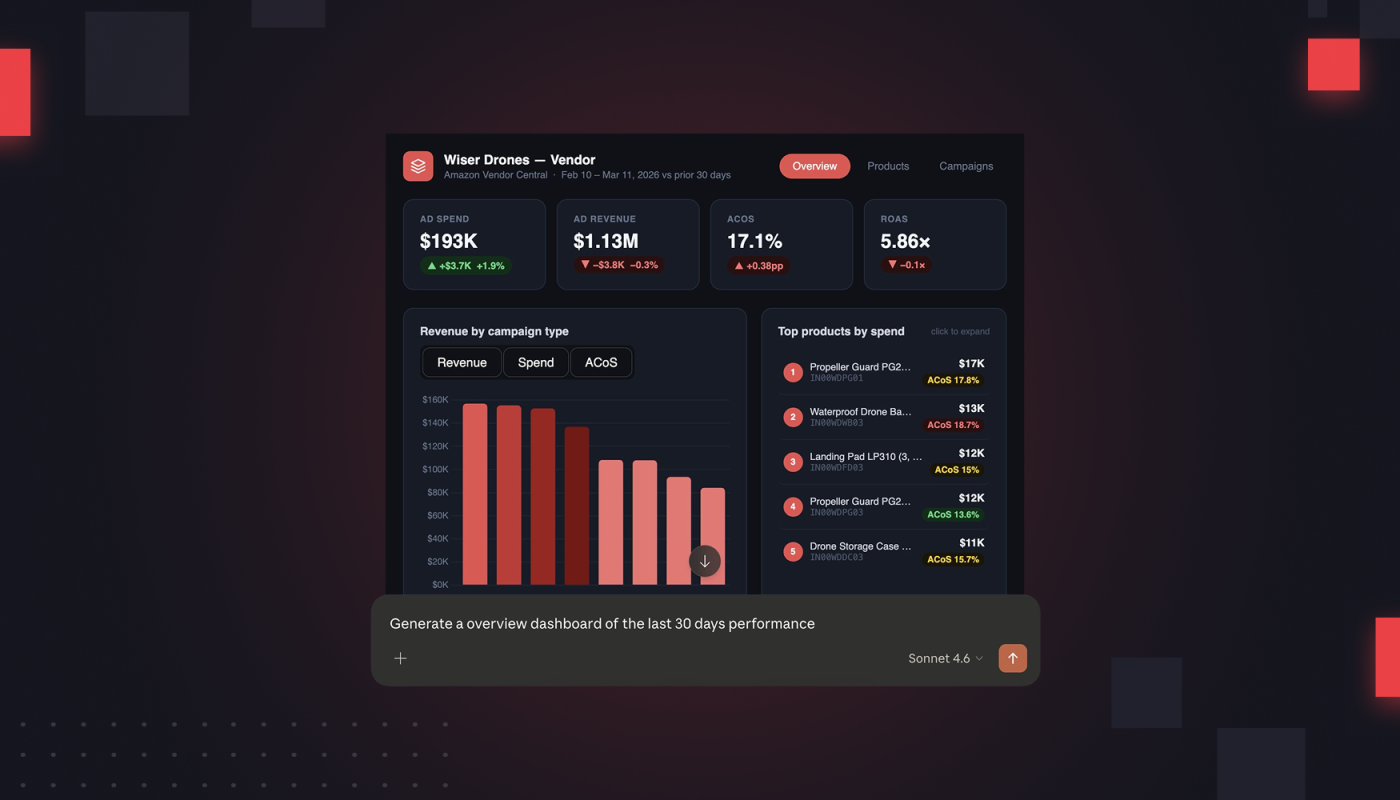
Last week brought the news that Claude can now create custom charts, diagrams, and many other visuals during the course of a conversation.
Importantly, these visuals can now be fully interactive—meaning you can create a visual that you can click in and out of as needed.
And it’s not just Claude doing this—OpenAI also very recently rolled out an interactive visual capability.
Here’s the thing. Most of the news coverage of these upgrades has focused on the benefits of these interactive charts for educational uses.
But we think this is a hugely significant shift for brands and agencies that operate on marketplaces.
Basically: These new upgrades have opened the path for you to create fully custom dashboards, showing the views you need most, all through the course of a conversation with your AI agent.
No more wishing for your perfect performance view. Now you can make it yourself, in minutes. That is, if you have the right data foundation in place.
What can you do with AI-generated custom dashboards?
A one-size-fits-all analytics suite doesn’t work for everyone. There’s always another custom dashboard you wish you could build, another business question you’re eager to answer.
You have your own taxonomies, growth priorities, and business questions. You want dashboards that speak to your distinct needs.
Agencies want to track multiple client metrics in one hub. Brands want to go beyond simplistic ROAS metrics, and get the deep analysis they’ve been craving.
Rather than slog through the cumbersome work of building these dashboards yourself, now you can direct Claude to generate one, all with simple, plain-text prompts.
You can now have expert-level dashboards without knowing any SQL.
For agencies, this could totally revolutionize reporting. Add in the fact that you can open Claude in PowerPoint, as our Product Manager Kenton Snyder discussed, and use it without exiting the app.
What does this mean? For agencies, if you use Intentwise’s AI Gateway for data preparation, you’ll be able to generate custom dashboards for all of your clients without ever clicking out of PowerPoint.
How do I prepare for AI-generated custom dashboards?
Your dashboards are only going to be as good as the quality of the data you enter into them.
If your Amazon data isn’t well-organized and embedded with domain expertise, Claude is going to generate confusing, inaccurate dashboards that don’t actually reflect your business context.
To feed your Amazon data into Claude and maintain the level of expertise and sophistication you’d expect from your own team, you need to rely on Intentwise AI Gateway.
AI Gateway gives you:
- Combined data sets across ads, retail, inventory, Share of Voice, and more
- A structured foundation that allows the MCP to interpret commerce signals correctly, reduce hallucinations, and maintain a high degree of analytical accuracy
- A data layer enriched with your custom taxonomies and unique brand metadata, such as product categories, sub-brands, and any other signals unique to your business
AI Gateway is going to totally revolutionize how you do business. Add yourself to the waitlist here if you haven’t already, and be the first to generate expert-level custom dashboards inside your AI agent.
What are the limitations of AI-generated custom dashboards?
The asterisk is that, for now, the custom dashboards you can generate through Claude and ChatGPT are limited to the data that MCPs bring in.
No MCP currently brings in AMC data, for instance. This means that, for now, if you want a custom dashboard that requires tracking multi-touchpoint (like LTV), you need to request it through our Analytics Services team.
There are other drawbacks of these AI-generated dashboards. They work great for easy internal tracking or for sharing with clients, but they are relatively lightweight.
If you want a more sophisticated dashboard, our Analytics Services team creates custom dashboards that are more powerful than the relatively lightweight and straightforward ones you’ll get from AI agents.