Let’s talk, for a minute, about what it looks like to integrate Claude into your e-commerce workflows.
Surely, you’ve heard people talk nonstop about the efficiencies and time savings you can get from the right AI agent.
But if you’re like most leading brands and agencies operating on Amazon, you’re probably still figuring out how to integrate AI agents into your workflows in a deep way.
Anyone can ask an AI agent like Claude a few one-off questions—but the real value of AI comes from tying it into your regular business processes.
The good news is that this is now easier than ever to do. Here’s a brief snapshot of what it looks like when Claude is deeply intertwined with your business.
How Claude can reshape your Amazon diagnostics
Step one—Claude can be an invaluable support for diagnosing potential problems and troubleshooting your account.
If you want to know why you lost organic search positioning, or why your revenue dropped over the weekend, Claude can do the diagnostics for you.
Just as long as you have the data on hand in your MCP, you can ask Claude pretty much any diagnostic question on your mind.
You might, for instance, prompt Claude to identify:
Products at risk of a stockout that are still getting ad spend. You might tell Claude, “Find products that are below 2 weeks of cover and have more than $100 in ad spend in the last week.”
Instead of having to toggle between reports or click around in a dashboard, you’ll very quickly receive a list of products with low cover, what the ad spend on them is, and when they are expected to run out of inventory.
Keyword fluctuations. Claude makes it easy to keep an eye on trending keywords, too. Tell Claude, for instance, “Find me keywords that have dropped in spend by at least 25% in the last week compared to the prior period.”
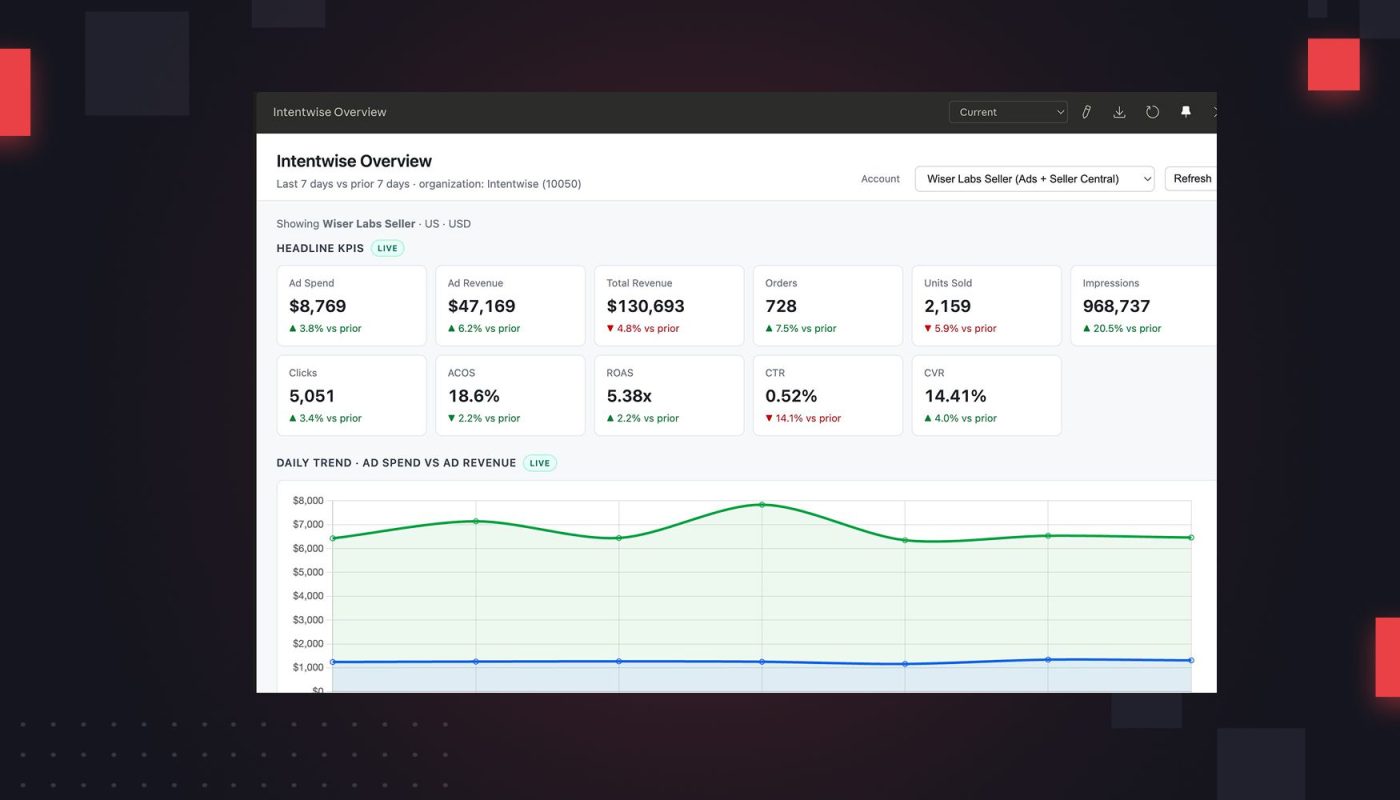
High-level performance shifts. At Intentwise, we have clients who prefer to start by asking Claude really broad questions like, “Show me what changed in my account over the last 30 days.”
Within a few minutes, Claude will output a dashboard showing changes in your overall sales, revenue, ACOS, and more over the last 30 days.
From there, you can ask all of the follow-up questions you might have. Which campaigns saw the greatest ACOS changes? Which ASINs under-performed? Why did CVR increase while revenue fell?
With the right MCP in place (more on this below), Claude should have no trouble answering them for you.
Of course, there are a few notable limitations here. For instance, for now it’s difficult to integrate Amazon Marketing Cloud data into a MCP, which means questions that involve AMC (like LTV, repeat purchase rate) are going to be tough to pose to Claude.
Turn Amazon diagnostics into regular alerts with Claude
Let’s say you don’t want to have to ask these diagnostic questions, again and again, every week.
No problem: You can instruct Claude to run them for you automatically, at the intervals of your choice.
Imagine waking up every Monday to that list of products with low cover but active ad spend, for instance. That way, you won’t ever miss a product at risk of a stockout.
You don’t even have to open up Claude to get these alerts. You can have Claude deliver the results to you wherever you work, whether it’s to Slack or Gmail. You just need to connect to each company’s MCPs.
Want to get even more sophisticated? You can build workflows around Claude prompts. Have a specific action trigger a certain Claude query. This is slightly more complicated to do, but we can show you how—just reach out to our team at Intentwise.
Let Claude build your Amazon decks
Used right, Claude can totally revolutionize how your reporting happens.
Claude creates dashboards from scratch, which means, with the right prompts, you can build the custom dashboards of your dreams.
Claude can build full Amazon decks within a matter of minutes. Within PowerPoint, you can instruct Claude on the specific dashboards you want on every slide, and watch as your agent builds a multi-slide presentation of your Amazon data for you—like magic.
For more on how to use Claude for reporting, watch our recent webinar, where Kenton Snyder offered an in-depth tutorial of how to build Amazon decks faster with Claude.
How are these Claude integrations possible?
All of this is only possible with Intentwise’s AI Gateway, which connects your Amazon data to your AI agent and adds in a structured semantic layer, so Claude understands your business context.
AI Gateway is also deeply secure. We ensure that your data never exits your server—so you aren’t sharing directly with Claude or any other third-party provider.
AI Gateway runs on AWS Bedrock, which means, even as you ask Claude questions, your data remains in a contained environment. None of it is passes to the AI providers.
Want to integrate Claude more deeply into your business? Sign up for Intentwise’s AI Gateway now.