
How to Optimize Your Amazon Product Listing Perfectly - 2021



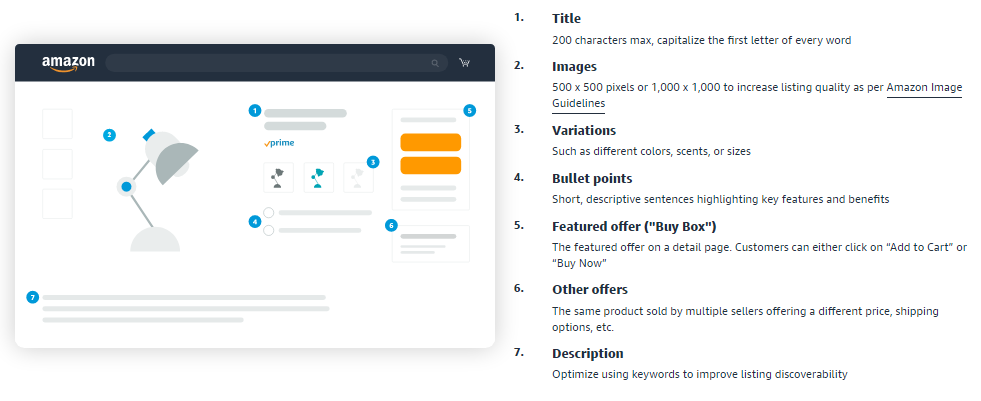
If you an Amazon seller who wants to get more product visibility, then you should look into keyword & listing optimization. We have created a comprehensive Amazon listing optimization guide to help you with your search visibility & conversion rates.
Amazon Listing Optimization
Amazon Listing Optimization is doing everything you can to help customers reach your products in their searches. Of course, relevancy is of utmost importance, but how do you use it to your advantage? From your product title to your customer ratings, everything is relevant to your search visibility. In simple words - listing optimization helps you sell more on Amazon.
Some of the most important aspects of product listing optimization are targeting the right keywords and refining your listings - this helps you get better search results and conversion rates.
First, let’s cover the basics of how to create a new listing on Amazon.
Amazon Product Page: New listing
The basics for your first listing
These are the basic guidelines to create a new listing, but there are over one million active sellers on Amazon. That means hundreds of millions of product listings. How do you compete with that? How do you ensure that your products pop up when a buyer searches for a certain set of keywords?
With multiple factors at play, sellers are often perplexed as to how to improve search visibility and conversion rates to generate more sales. That is where listing optimization comes in.
Let's take some listings from the Toys & Games category for example:
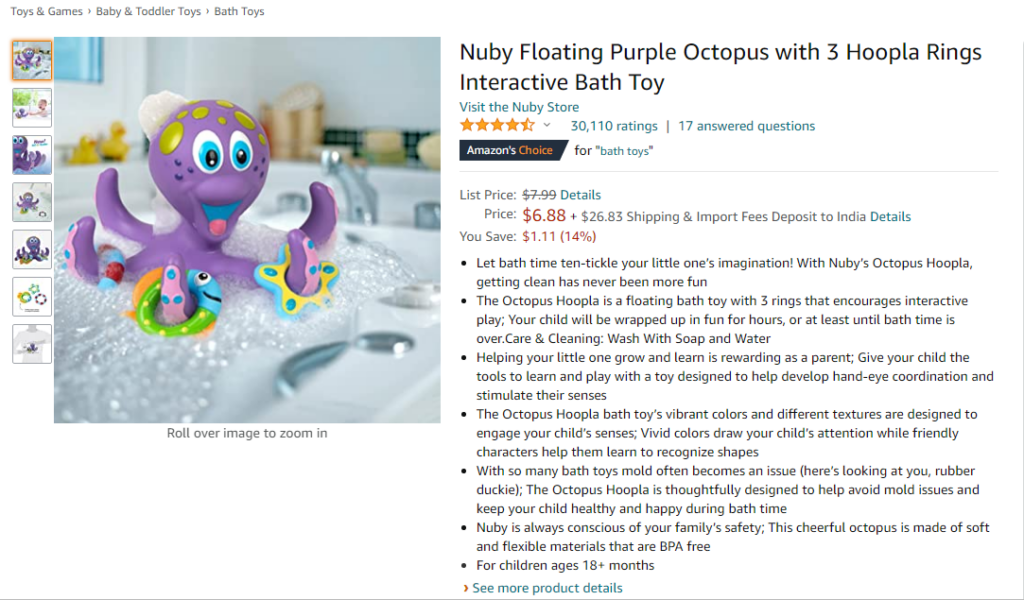
Example 1
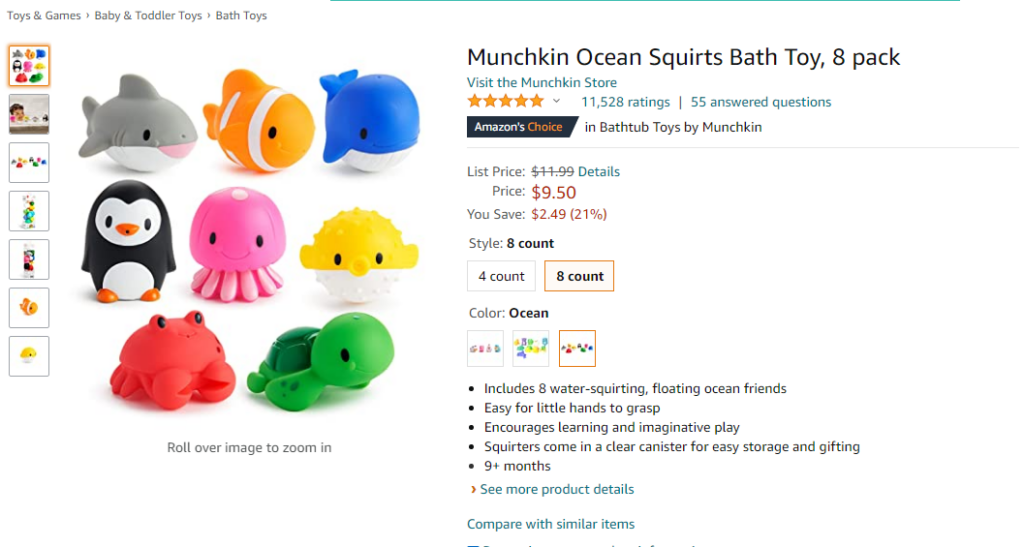
Example 2
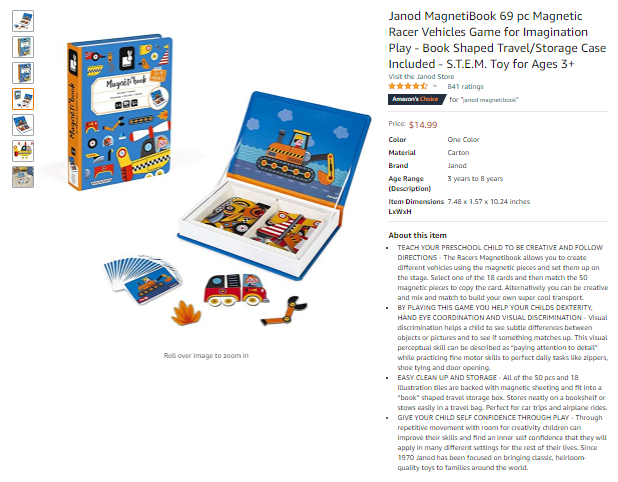
Example 3
Each of these examples has different specifications and is unique. From product titles to bullet points, there are a lot of factors that make these listings optimized for better conversion on Amazon. We'll analyze these and also see what Amazon recommends to help you create & optimize your listings.
To get started with listing optimization, here are some key areas to consider:
1. Product Title
Probably one of the most important factors in listing optimization is your product title. That is the first thing your customer would see and if it's too long or too short or not relevant, guess what? They'll move on to the next product. You probably have a very short time to grab their attention. And how do you do that?
With relevant keywords in the title. Relevancy is the key here. While it is important to have the main keywords in the first few characters, you must remember that your customer is human - they don’t care about Amazon SEO or rankings. They would open your product if you give them relevant information and not just a bunch of keywords stuffed to get a better ranking. While the listing page says the title should be under 200 characters, Seller Central suggests it is best to have around 60 characters in Amazon product titles. We understand that it might not always be possible to limit the title length to 60 characters, so we, at Intentwise recommend you to not go past the character limit of 144.
Tips to have a terrific title:
- Keep it between 50-144 characters
- Use 3-5 of your best keyword phrases
- Give a gist of the product packaging
- Try to include your brand name
- Make it catchy and relevant
- Use title case i.e. Capitalize First Letter of Each Word (except articles, prepositions, etc.)
Here is an excerpt from Amazon Seller Central for optimizing the product discoverability:
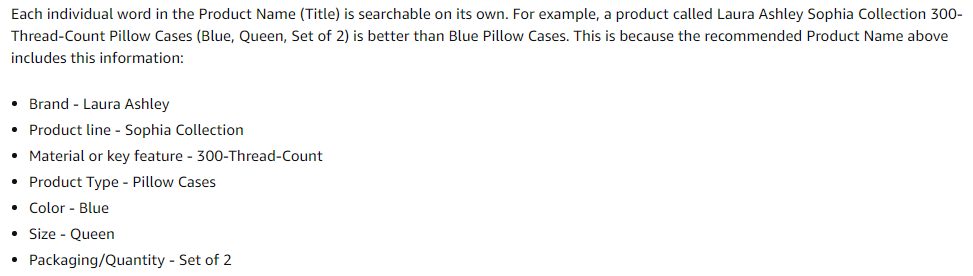
Product title from our examples:

Keywords ☑ | Relevancy ☑ | Title case ☑ | Brand name ☑ | Character count ☑
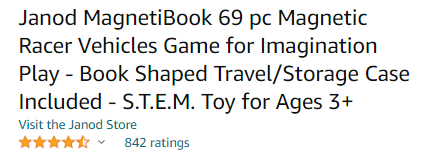
Keywords ☑ | Relevancy ☑ | Title case ☑ | Brand name ☑ | Character count ☑
2. Product Images
Product images play a vital role in the purchase decision. Your priority here should be to have high-quality relevant images of your products.
Every listing on the Amazon store can have 1-9 product images including the main image. Seller Central recommends the sellers provide 6 images and 1 video. While there are certain specifications for the main image, you can use the other images as your sales pages. A picture is worth a thousand words, after all. Try adding specs & highlighting the uniqueness of your product using pictures.
The technical guidelines from Amazon allow minimum image dimensions from 500 pixels to a maximum of 10,000 pixels on the longest side. To take advantage of the optimal zoom experience for Detail pages, the images should be somewhere between 1,600px to 10,000px on the longest side. While this range is really wide, Amazon recommends using a 1:1 square image with 2000 x 2000 pixels and allows for a maximum zoom or a 5:1 aspect ratio.
Here's how the main image appears when you hover the cursor over it:
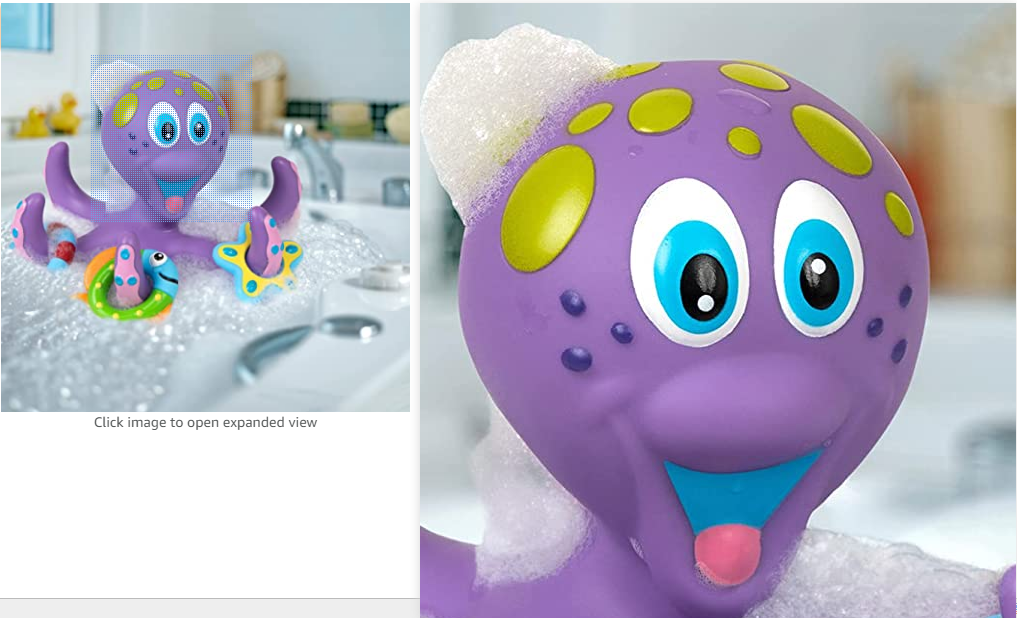
Tips for ideal images on Amazon:
- Keep it in 1:1 (square) with 2000 x 2000 pixels
- Have 6 images and 1 video
- Focus on quality of the images (include lifestyle images)
- Ensure that the product is covering 80% of the image
- Have white background in main image & for others use different angles
- Demonstrate the size & scale of the product (to avoid negative feedback)
- Add alternate text in your images
Here are the guidelines from Amazon Seller Central:
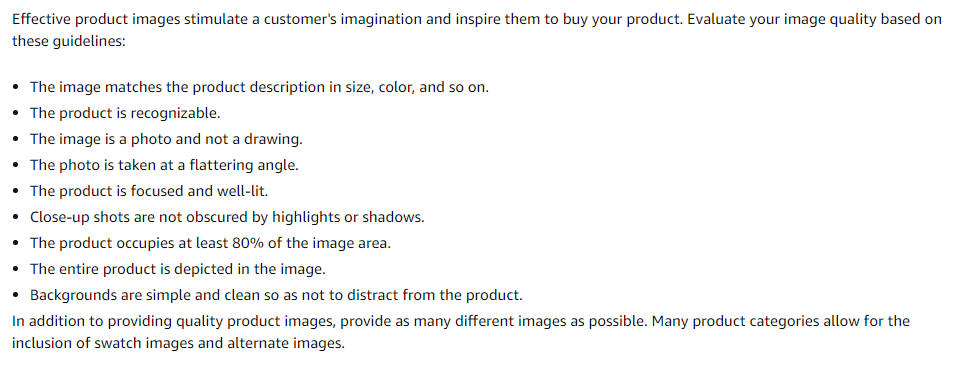
Product images example:
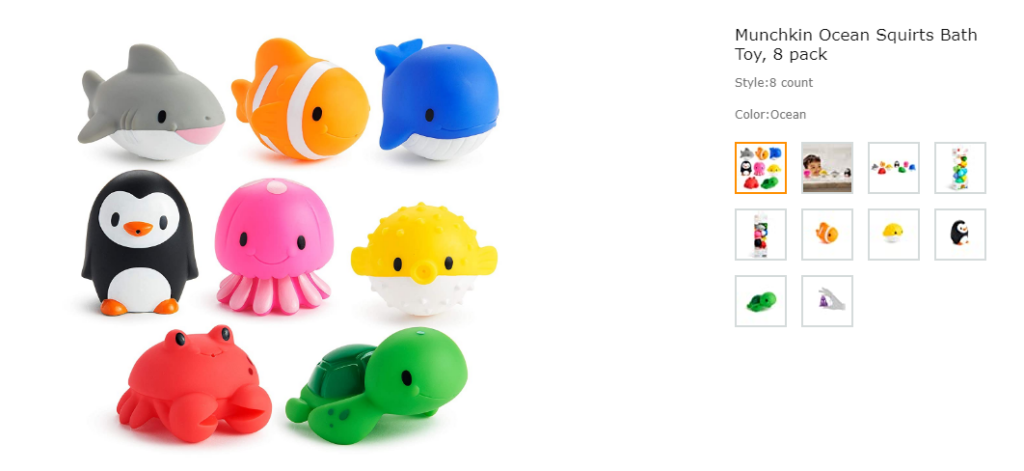
Square ☑ | White background ☑ | Size & scale ☑ | Lifestyle image ☑
3. Bullet Points & Product Description
Now onto the third part of the guide.
Bullet points and product descriptions provide the space needed to highlight your product features and benefits. Usually, up to five products can be added for one product (vendors can add up to ten). Amazon advises sellers to keep the character count under 1000 and while it might be tempting to stuff them with keywords, you should have clear communication and help buyers make a decision. The bullet numbers & character count vary by product category. Also, Amazon's shopping algorithm is evolving constantly, so all your bullet points might not appear if they are not indexed; but it is advisable to keep them crisp. Just like A+ content, the product description has so much scope for optimization. You can include features, care instructions, and any other information that helps in the buying decision.
It is wise to incorporate some of your keywords in the bullet points & product description; it is wiser to keep it human. SEO & keywords are important aspects but if your content is robotic, how would a customer connect with you?
Tips for better bullet points on Amazon:
- Keep it clear & concise
- Have 5 bullet points
- Try to keep them under 1000 characters in total
- Keep it human
- Don't forget mobile optimization
- Maintain consistency among all your products
- Begin with capital letter & don't end with punctuation
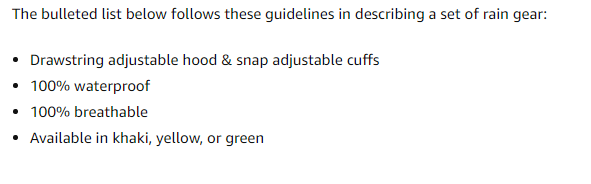
Example from Amazon Seller Central:
Bullet points from our examples:
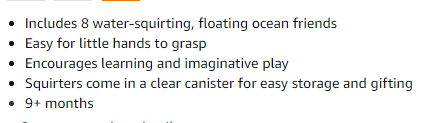
Clear & concise ☑ | Keywords ☑ | Relevancy ☑ | Human ☑
#Tip: If you're not satisfied with such short bullet points, consider writing the benefit in all caps followed by the feature/specs which would help the reader skim through the bullets & go into detail if they want.
Bullet points from our examples:
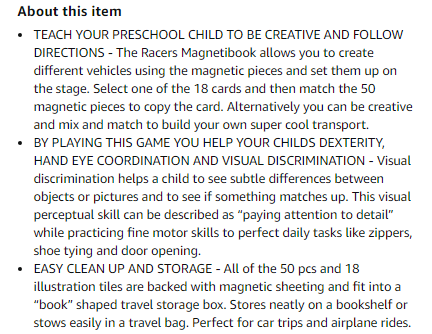
Keywords ☑ | Relevancy ☑ | Human ☑ | Features & benefits ☑
Example of product description:

4. Product Information
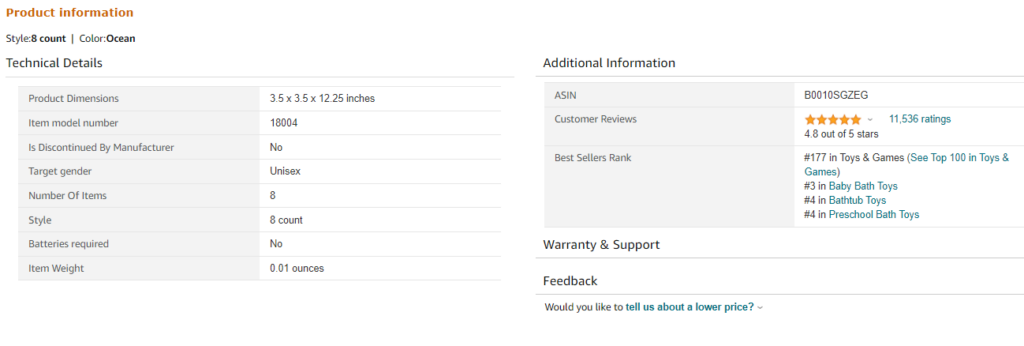
Although it appears after bullet points and product description, it is also advisable to add additional product information which gives some more technical details about the products. Examples can include dimensions, material, weight, and other such details. This is especially important if your product has specifications that customers should know before making a purchase. It is used by Amazon to filter search results which in turn, could help with conversion rates.
Example of product information:
5. Customer Reviews, Ratings, and Questions & Answers
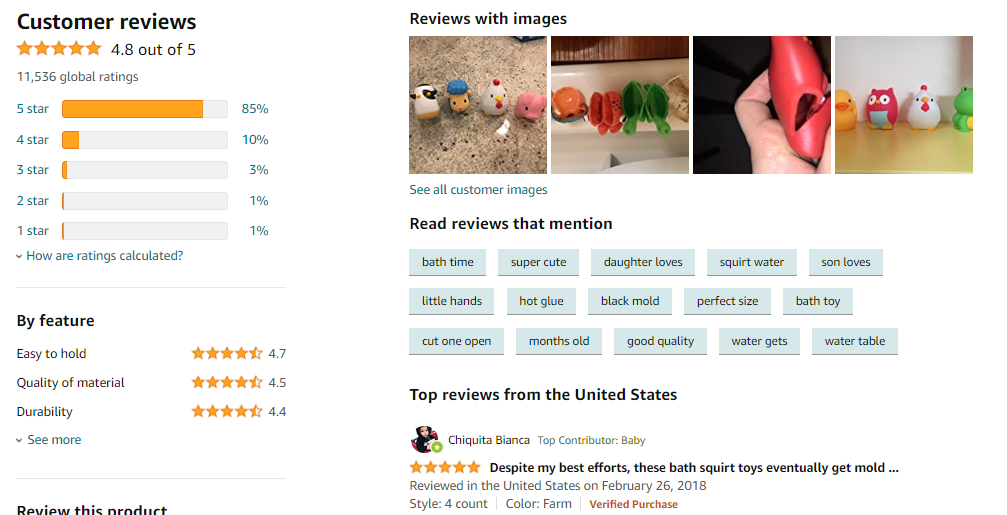
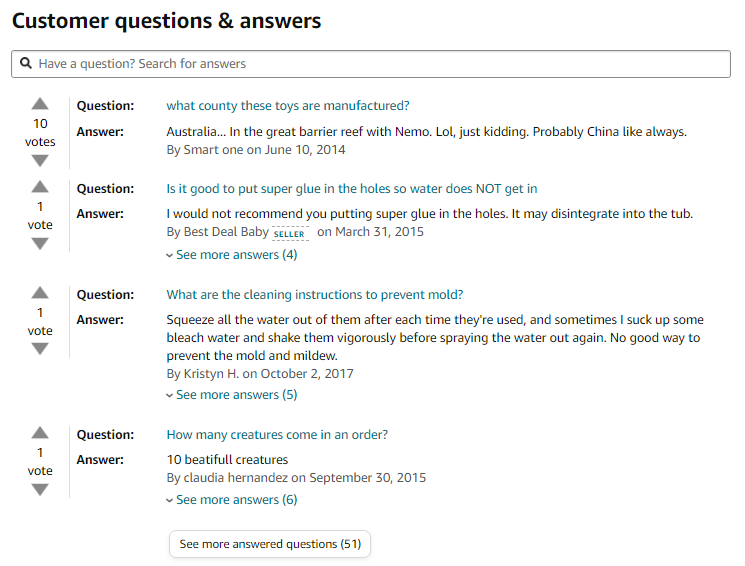
The next aspect of Amazon listing optimization is customer reviews and product ratings. A large number of buyers go through customer reviews before making a purchase. We don't need to tell you that your product speaks for itself - so that is the primary factor affecting your reviews and ratings. But it does not mean that it is totally out of your control. Providing excellent customer service and answering customers' common questions would help build more trust in your products and brand. It is especially important to respond to negative customer reviews; this again helps build trust. To generate more reviews, you can also opt for Amazon's fee-based programs like Amazon vine (vendors) and Early Reviewer Program (sellers).
Example of customers reviews & ratings:
Example of customers questions & answers:
6. Keywords
Keywords relevancy is also important for a high conversion rate. Now the first thing you must understand when it comes to keyword optimization on Amazon is that it is not the same as Google. Search intent for Amazon search is different from Google search. Keeping this factor in mind while choosing your keywords would be beneficial for you. Think like a buyer - they might not know the technical aspects of the products and might end up searching generic terms. You can use keyword research tools to get better conversions.
Backend keywords should definitely be your priority - a lot of sellers don't seem to optimize these. The best part? Customers can't see them. It is suggested to have less than 250 bytes in the backend keywords. It might seem difficult but you can do it by:
- Avoiding repetitive or unrelated keywords
- Skipping punctuation & plurals
- Avoiding brand names & ASINs
- Omitting subjective claims (best, amazing, etc.)
- Adding spelling variations
How Intentwise can help you?
For Amazon sellers with multiple products & ASINs, it is hard to keep up with Amazon & its trends. That is where we come in - Intentwise provides automated recommendations about account structure, keyword targeting, product targeting, and more. Here's an example:
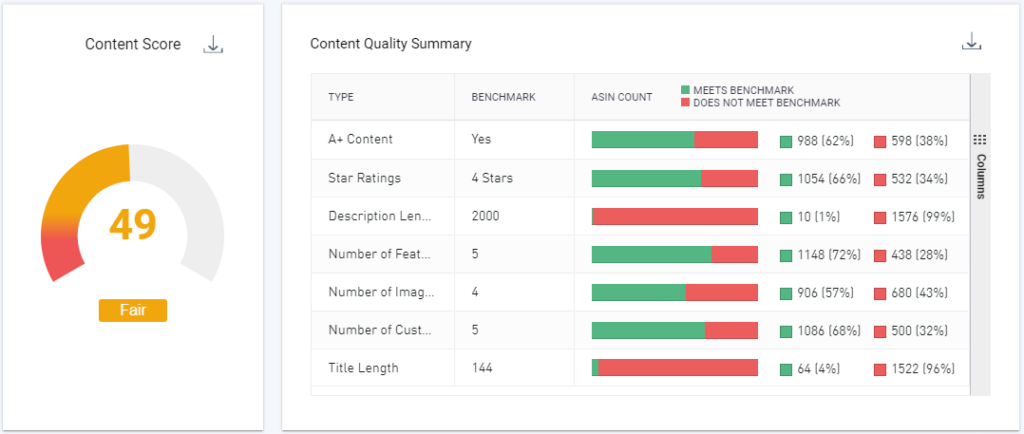
Our platform gives you a Content Score on the basis of various benchmarks in accordance with guidelines by Amazon. If you're an advertiser, we would love to schedule a product demo and give you a two-week free trial.
Other factors for Amazon Listing Optimization
- Inventory levels: Products that frequently go out of stock are less likely to be displyed on first page of search results
- Amazon rules & terms of services: Make sure you maintain high quality listings without crossing any lines
- Check bounces: This might happen when you have poor quality content & images or irrelevant keywords
- Product videos: Add videos to your listings as they are known to have a huge impact in purchase decision
- Win the Buy-Box: A large number of sales go through it, but you need to have excellent seller metrics to qualify
- Positive post purchase experience: Remember, your work is not done after making a sale, it's about the overall experience
If you follow the recommendations from this guide, you should start seeing improvements in your search visibility and sales volume. This whole process of listing optimization is important as it would help you reach more customers and ultimately sell more on Amazon.
Would you like to read more of such content? Let us know in the comments. You might also like our blog on How to Sell Globally on Amazon.